

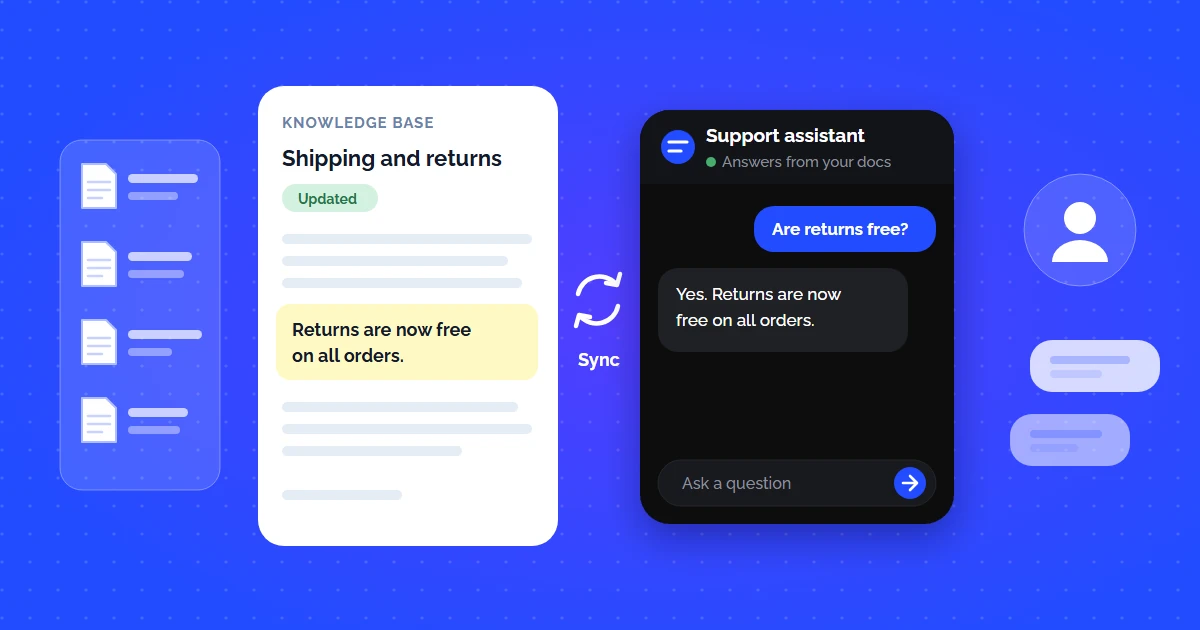
Building a help center or documentation site is only half the battle. If your customers have to leave their current workflow, search through ten help articles, and read 2,000 words just to find one API setting or refund policy, customer satisfaction drops.
A knowledge base chatbot integration connects your static knowledge base (Notion, Zendesk Guide, GitBook, ReadMe, or public web pages) directly into an interactive conversational AI layer. Whenever a visitor or customer asks a question, the bot retrieves the relevant documentation snippets, extracts the answer, and replies from it.
If you have recently checked out our overview on AI knowledge base software for customer support, this article serves as the practical, hands-on integration blueprint for technical founders, product managers, and support leads.
How Knowledge Base Chatbot Integration Works (Under the Hood)
Traditional rule-based chatbots required you to manually build decision trees (e.g., "If user says refund, click branch B"). That breaks the moment a user asks something slightly different.
Modern knowledge base chatbot integrations use a Retrieval-Augmented Generation (RAG) pipeline:
The 4-Stage Sync Pipeline:
Automated crawler parses HTML, Markdown, or PDF documentation into clean text chunks.
Text chunks are converted into dense vector embeddings and stored in vector indexes.
When a user asks a question, cosine similarity matches the query to the most relevant doc chunks.
The LLM synthesizes a concise, natural response citing exact reference URLs.
To understand the deep mathematical mechanics of vector search and embeddings, see our guide to RAG for customer support.
Scripted decision tree
- Every intent has to be written and maintained by hand
- A rephrased question falls straight through to a fallback
- New features mean new branches, forever
- No citation - the answer is whatever someone typed months ago
RAG over your knowledge base
- Answers come from the docs you already maintain
- Semantic matching handles wording the author never anticipated
- A published docs edit updates the assistant
- Unanswered questions show which doc to write next
Step-by-Step Guide: Integrating Your Knowledge Base with a Chatbot
Connecting your documentation to an AI chat widget with CustomerGPT requires no code or complex infrastructure. Here is the step-by-step workflow:
Step 1: Point to Your Knowledge Base Source
Provide your documentation sitemap, root help center URL (e.g. docs.yourcompany.com), or upload individual PDFs, Markdown files, or Notion exports. The system crawls all linked subpages automatically. If you want to inspect what a document looks like once the layout is stripped away, run it through the free PDF to Markdown converter first, or check that your sitemap is complete with the sitemap checker.
Step 2: Configure Synchronization & Auto-Refresh
Set up automated re-crawling (daily or weekly) or trigger webhook updates so whenever your engineers ship new documentation or update pricing FAQs, your chatbot learns the changes immediately without manual retraining.
Step 3: Define AI Guardrails & Tone Rules
Instruct the chatbot on how to respond. For example: "Always maintain a polite, concise tone. If the knowledge base does not contain the answer, do not guess — ask the user to contact support at [email protected]."
Step 4: Embed the Chatbot on Your Website or Portal
Copy one snippet of script into your HTML header or Google Tag Manager:
Step 5: Connect Team Channels (Slack, Zendesk, Discord)
Expand your chatbot beyond website visitors. Connect it to internal Slack channels so sales reps and engineers can query company knowledge bases directly inside their daily communication hubs. Check our guide on AI customer support bots with Slack integration.
Popular Knowledge Base Platforms & Integration Methods
Depending on where your company documentation is hosted, here is the recommended integration strategy:
| Platform | Best Ingestion Method | Sync Frequency | Setup Effort |
|---|---|---|---|
| Public Website / Help Center | Sitemap / Root URL Ingestion | Automatic Daily/Weekly Crawl | 2 minutes (No-Code) |
| Notion Knowledge Base | Notion Integration / Public Link | Real-time via Webhook | 3 minutes |
| Zendesk / Freshdesk Guide | Help Center URL + API Sync | Automated Webhook / Scheduled | 5 minutes |
| GitBook / ReadMe / Docusaurus | Documentation Sitemap & Markdown | CI/CD Webhook on Git Push | 5 minutes |
| Internal PDF & Word Files | Direct Drag & Drop Bulk Upload | Instant Ingestion | 1 minute |
Common Integration Pitfalls and How to Prevent Them
Ingesting Outdated Articles
If your help center has legacy 2021 pricing pages, the chatbot may quote old rates. Audit your sitemap and exclude obsolete directory paths.
Poor Document Formatting
Large walls of unstructured text without clear H2/H3 headers reduce chunk quality. Use concise sections so semantic search pinpoints exact paragraphs.
No Human Handoff Fallback
Even the best AI encounters edge cases. Always configure a fallback action — creating a ticket, requesting an email, or routing to live agents.
Missing Source Attribution
Customers trust answers more when they can verify the source. Ensure your chatbot includes clickable citations to the exact help article.
Key Metrics to Track Post-Integration
Once your knowledge base chatbot is live, evaluate its performance using these four core metrics:
- Deflection Rate: The percentage of inbound inquiries resolved completely by the AI without creating a human ticket (target: 50%–75%).
- First Response Time (FRT): AI replies within seconds instead of leaving the customer in a queue.
- Resolution Accuracy / CSAT: Customer thumbs up/down feedback on AI answers (target: >90% positive ratings).
- Unanswered Question Log: A list of queries where the AI had no matching doc chunk. Use this list as your content roadmap to write new help articles.
For more on how small teams achieve massive savings with AI support, check out our guide to affordable AI customer support for startups and our comparison of the 9 best AI chatbots for customer service in 2026.
Continue Reading
- How to Build an AI Chatbot Trained on Your Own Data
- AI Knowledge Base Software for Customer Support: Turn Docs Into a 24/7 Answer Engine
- Self-Service Knowledge Base: How to Reduce Support Tickets with AI
- How to Provide 24/7 Customer Service Without Hiring a Night Shift Team
- How to Set Up AI Customer Support on Custom Docs: Step-by-Step Guide
- Best AI Customer Support Bot That Connects to Slack