

Your service without AI
100+ messages → Manual replies → Missed opportunities
Slow responses → Repetitive questions → Overloaded support team
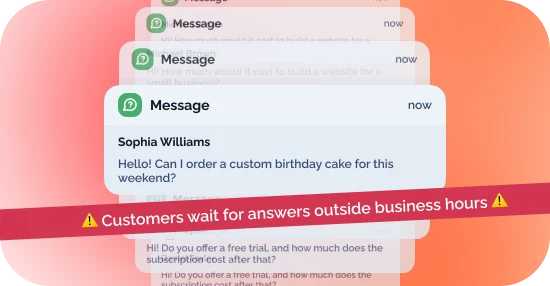
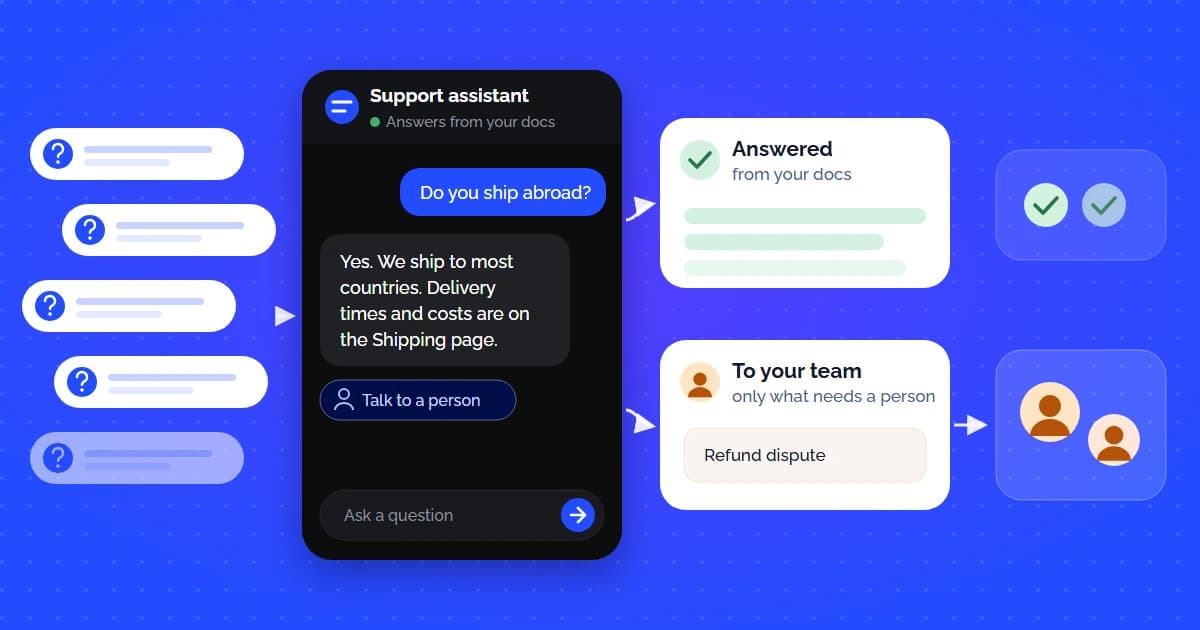
Connect an AI assistant to your service - it will answer users’ questions, help them find the information they need, and handle routine tasks.
Enter your website URL
Upload a file with questions and answers
Add the script to your website
Worldwide — popularity of AI customer support over the past 5 years
100+ messages → Manual replies → Missed opportunities
Slow responses → Repetitive questions → Overloaded support team
AI responds instantly → Qualifies leads → Hands off to your team
Faster responses → More qualified leads → Less manual work.

Choose the plan that fits your business and give your customers instant AI-powered support.
Perfect for starting with AI customer helpers on your websites.
$59 / month
$49 / month
14 days free · No card required · Cancel in one click
Start a free trialIdeal for growing SaaS, e-commerce, and professional service websites.
$129 / month
$99 / month
14 days free · No card required · Cancel in one click
Start a free trialDesigned for scaling businesses requiring advanced web scanning, API tools, and webhook support.
$429 / month
$349 / month
14 days free · No card required · Cancel in one click
Start a free trialDesigned for massive sites, multi-brand companies, and custom corporate databases.
Custom
Custom
Custom quote · signed DPA · security review supported
Contact salesNeed more capacity? Top up your plan with 5,000 extra messages every month, no upgrade needed.
+$49 / month
Billed monthly
+$39 / month
Billed $468 yearly
Built for businesses that take security seriously
Full compliance with EU data protection standards.

Your data is only accessible to your AI agent and not used to train models.
Independently audited for security and reliability.

Data is encrypted at rest and in transit using standard algorithms.
Eligible on the Enterprise plan for protected health information.

We use verified variables to ensure users access their own data.
The five inputs that decide what AI support actually saves — cost per ticket, realistic deflection rates, and the costs most business cases leave out.
AI Support
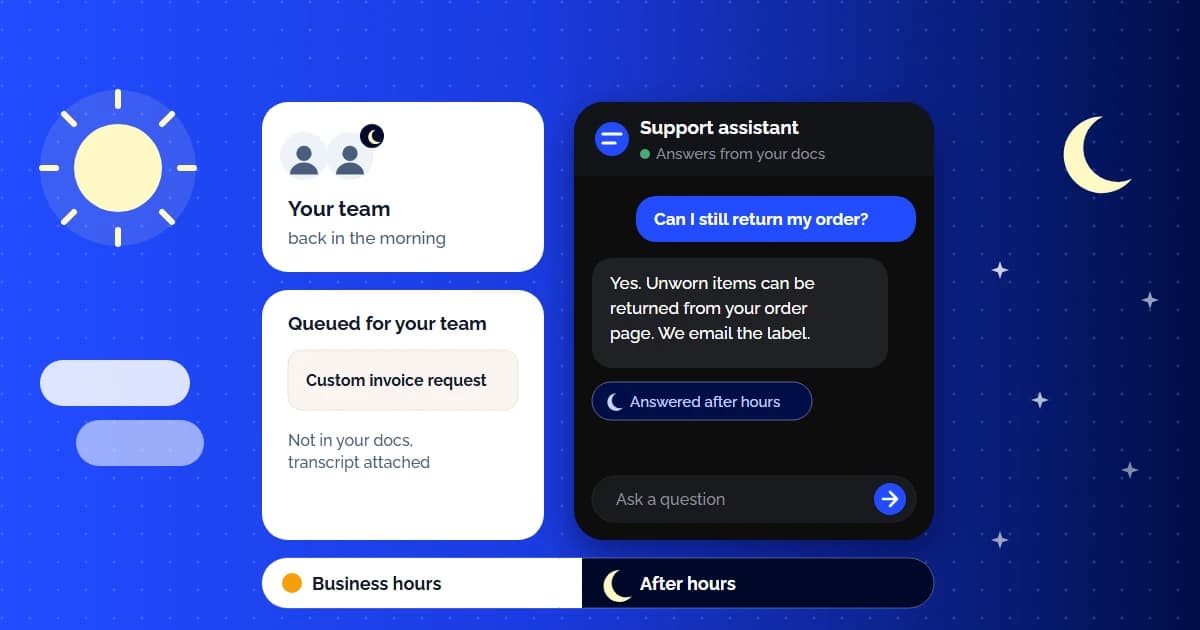
Read moreProvide 24/7 customer service without a night shift: an AI agent answers after-hours questions from your docs and queues the rest for your team's morning.
AI Support
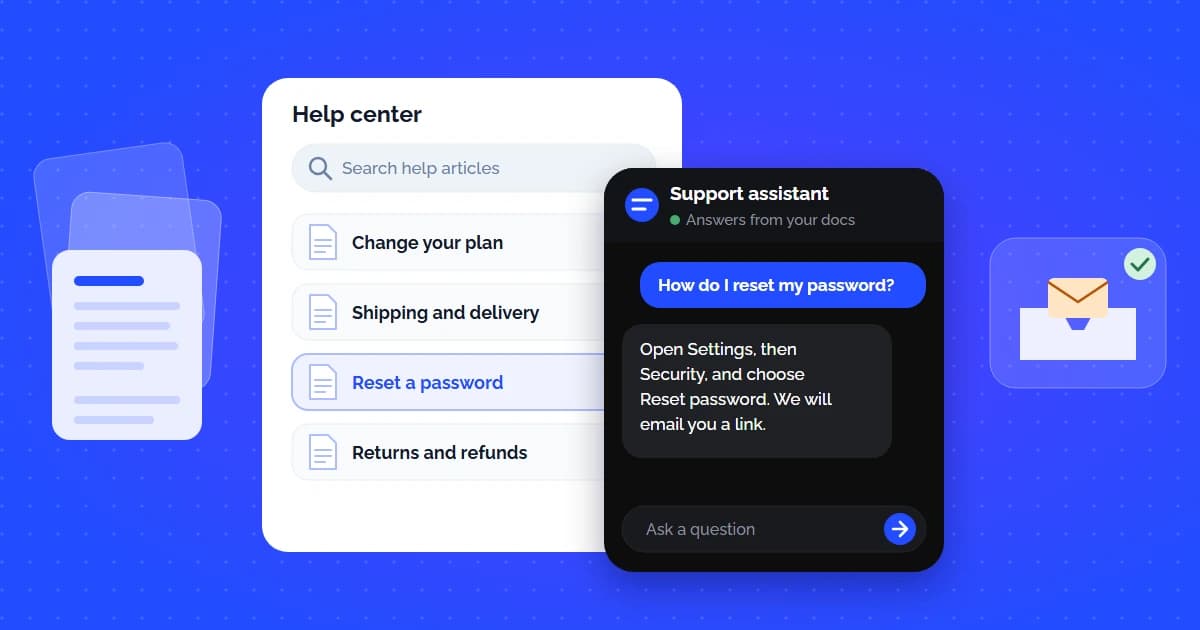
Read moreBuild an AI self-service knowledge base that answers repeat questions and deflects the tickets your docs cover. Setup, metrics, mistakes to avoid.
AI Support
Read moreCustomerGPT is built around a flywheel where every conversation makes CustomerGPT smarter. As CustomerGPT does work, it learns, and automatically turns insights into recommendations and improvements.
As your business evolves, CustomerGPT evolves, in a cycle of continuous improvement and higher performance.
Everything you need to know about setting up, billing, training, and scaling your AI assistants.
CustomerGPT offers 24/7 customer support with AI chatbots. You train the chatbot on your website, help docs, and files in about 2 minutes, and it answers customers around the clock in 95+ languages, with grounded answers. When it cannot answer, it says so instead of guessing, and visitors can ask for a person: your team replies from Chat History, or the bot collects the visitor's contact details so you can follow up. Plans start at $49/month with flat pricing and no per-resolution fees, and there is a 14-day free trial with no credit card required.
Sign up for the free trial, create a chatbot, and add your content in Knowledge Base: crawl your website (up to 50 pages per crawl, including pages rendered with JavaScript), upload PDF, DOCX, TXT, Markdown, or CSV files, or paste text directly. On the Growth plan and above you can also sync files from Google Drive, OneDrive, and SharePoint, pages from Notion, and Help Center articles from Zendesk and Intercom. When each source shows as completed, test the chatbot, then copy the embed script from Customizer → Get Embed Code and paste it before the closing </body> tag of your site. The chatbot answers from the content you added, not from what the model happens to know.
CustomerGPT uses strict context-grounded Retrieval-Augmented Generation (RAG). The model is restricted to answering from passages retrieved from your indexed documentation, which sharply reduces invented answers. If a user asks for discounts or policies not found in your data, the bot politely declines and offers human escalation instead of making one up.
It doesn't guess. If your content has no answer, the chatbot says what it can't confirm, and visitors can ask for a person at any time with the 🎧 button in the chat header. The question is also logged in the Knowledge gaps report on your Dashboard, grouped with its repeats, so you can see what's missing and add the answer to the knowledge base in one step. Later questions on that topic are answered from it.
Yes! In the CustomerGPT admin panel, you can enter plain text or copy-paste content directly. The backend immediately processes the raw text, splits it using a sliding character window (800-character window size with 150-character overlap), and vectorizes it to update your chatbot's knowledge base.
A native Shopify integration is coming soon. It will auto-index your store FAQs, shipping policies, and return guidelines to resolve repetitive order status, sizing, and return questions 24/7 without agent intervention.
You can train the chatbot on website URLs, uploaded files (PDF, DOCX, TXT, Markdown, and CSV), and text you paste in directly. On the Growth plan and above, you can also sync files from Google Drive, OneDrive, and SharePoint, pages from Notion, and Help Center articles from Zendesk and Intercom.
Yes, automatic retraining depends on your tier. Growth accounts trigger monthly syncs, Scale accounts run daily scans with weekly syncs, and Enterprise accounts sync daily.
Yes, you can upload PDF, DOCX, TXT, Markdown, or CSV files up to 10 MB each. When you upload a file, the backend processes it asynchronously, extracting and cleaning the text, chunking it, generating 1536-dimensional embeddings, and saving them to our database.
After training is complete, the dashboard generates a single copy-paste HTML script block. You can paste this script tag into the head or body of your website. It runs on any HTML/JS site, including WordPress, Webflow, and React/Next.js.
Training takes from a few seconds up to a few minutes, depending on the volume of text. Because the crawler and chunking engine process data asynchronously in a background promise, your dashboard remains fully interactive during training.
CustomerGPT costs $49, $99, or $349 a month billed yearly (Starter, Growth, and Scale), or $59, $129, or $429 billed monthly; Enterprise is priced by agreement. The price is flat: it doesn't grow with each question the AI resolves, and there are no per-seat fees. Plans differ in monthly messages (4,000, 10,000, or 40,000), training content (1,000 to 50,000 pages), and team members (1, 4, or 10). If you need more messages without changing plans, the Extra 5k Messages add-on costs $49 a month, or $39 a month billed yearly.
Intercom charges unpredictable fees ($0.99 per AI resolution on top of seat costs), which quickly escalates support bills as ticket volume grows. CustomerGPT provides predictable flat monthly pricing starting at $49/month with zero per-resolution fees, so the bill does not grow with every question the AI resolves.
Yes! We offer a 14-day free trial with no credit card required, allowing you to build, train, and test your chatbot on your own data. Paid plans also come with a 14-day money-back guarantee.
Yes. Every account starts with a 14-day free trial of a paid plan, no credit card required. If the trial ends without payment, the workspace drops to the free tier: 1 chatbot, 1 team member, 100 pages of training content, and 100 AI messages a month, without API access or integrations. You can upgrade at any time to get your plan's limits back.
Each chatbot loads on one website: the domain you enter as Website Domain Link when you create it, plus its subdomains. With https://acme.com, the same script works on acme.com, www.acme.com, and help.acme.com, but not on acme-store.com. For a site on a different domain, create another chatbot; each one has its own knowledge base. Starter includes 1 chatbot, Growth up to 2, and Scale up to 3, and Enterprise plans include more.
Yes, our agency features are available on the Scale ($349/mo) and Enterprise tiers. These include isolated tenant sandboxes, custom brand customization, white-label options, and configurable rate limits for each chatbot under one master admin.
A 'page' is 2,500 characters of text. Your plan limits the total text across all your chatbots, counted in pages of 2,500 characters, so one long web page or document can use several pages. Starter includes 1,000 pages, Growth 10,000, and Scale 50,000. The dashboard shows how much content you have indexed.
The chatbot stops answering until your monthly message count resets or you add more, and nothing is billed by surprise. To keep it running, add the Extra 5k Messages add-on under Billing & Plans at any time: 5,000 more messages every month for $49/month, or $39/month billed yearly. Or move up a plan, whichever is cheaper for your volume. Dashboard → Plan Usage & Message Limits shows how many messages you have used this month.
Yes, white-labeling is supported on our Scale and Enterprise tiers. You can completely remove 'Powered by CustomerGPT' branding, configure a custom subdomain for your widgets, and override colors/styles.
CustomerGPT utilizes OpenAI's GPT-5.6 Luna and GPT-5.6 Terra models for natural language response generation. Document chunking is mapped to 1536-dimensional vector spaces via text-embedding-3-small and indexed using pgvector with HNSW for semantic retrieval.
When your content has no answer, the chatbot says what it can't confirm instead of guessing. Visitors can click Speak to a Human Agent in the chat header at any time, and with Sales Automation on, the conversation is also handed over when they ask for a person or use one of your handoff phrases. The chatbot then pauses, and your team replies from Chat History until they release the chat back to the AI. CustomerGPT doesn't send email or push alerts for handoffs yet; on Scale and Enterprise, a conversation.escalated webhook can forward each handoff to Slack or your helpdesk through Zapier, Make, or n8n.
Yes, CustomerGPT supports over 95 languages with automatic detection. Even if your documentation is written in English, the AI agent can read, reason, and answer fluently in Spanish, French, German, Japanese, Chinese, or Arabic.
CustomerGPT doesn't create tickets in Zendesk or other helpdesks directly. It can train on your Zendesk and Intercom Help Center articles, and it natively connects to Slack, Telegram, HubSpot, and Cal.com on the Growth plan and above (Shopify is coming soon). To pass conversations into a helpdesk, use signed outgoing webhooks or Zapier on Scale and Enterprise, or the REST API.
Yes, on the Growth plan and above. Once you connect a Slack app on the Integrations page, the chatbot answers direct messages and @mentions in channels, replying in a thread from the same knowledge it uses on your website. Each thread becomes a conversation in Chat History, and with Sales Automation on, it can qualify leads in Slack too. It reads text only, and every answer counts toward your monthly messages.
Yes. All uploaded files and crawled pages are stored in isolated tenant sandboxes with PostgreSQL Row-Level Security (RLS). Your proprietary data is encrypted using AES-256 at rest and TLS 1.3 in transit, and is never used to train public foundation models.
CustomerGPT follows GDPR requirements, and you keep ownership of your data. A signed Data Processing Agreement (DPA) and HIPAA eligibility come with the Enterprise plan, so if you handle protected health information, talk to our sales team before you train the chatbot on it.
CustomerGPT implements a multi-layer defense topology compliant with OWASP Top 10 for LLM Applications: cryptographic HMAC-SHA256 CAPTCHAs, pre-prompt semantic classification, and strict system boundary prompts that prevent prompt leakage or instruction override.
Our core vector databases and inference gateways operate on secure AWS cloud infrastructure located in redundant US regions.
 1 Chatbot widget