
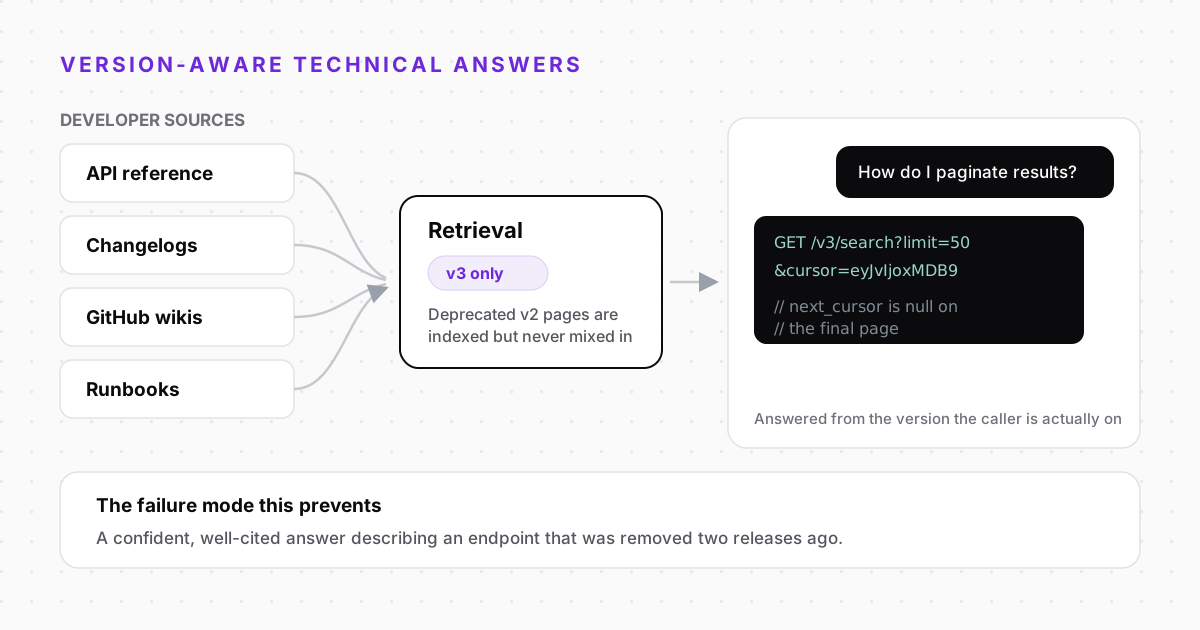
Technical support questions fail differently from every other kind. The answer almost always exists — in the API reference, in a changelog entry, in a runbook somebody wrote after the last incident. The problem is that it is three levels deep in a documentation site, phrased in the vocabulary of the person who wrote it rather than the person searching for it.
Retrieval over your own technical content solves the finding problem. Version awareness is what stops it creating a worse one.
Why Documentation Search Fails Developers
Developers ask questions in the vocabulary of their failure, not the vocabulary of your docs. Somebody hitting a rate limit searches for the status code they got, not for the page titled “Usage policies”.
- The question is an error, the answer is a concept — “Why am I getting a 429?” and “Rate limits” share no keywords at all.
- Answers span several pages — The endpoint reference, the authentication guide and a changelog note together form one answer that lives nowhere as a whole.
- Search returns the wrong version — Your v2 docs outrank your v3 docs because they have had two more years to accumulate links.
- The real answer is in a ticket — The clearest explanation your team ever wrote is sitting in a resolved conversation nobody indexed.
Ground the Assistant in the Sources Developers Actually Use
- 1CollectAPI reference, guides, changelogs, GitHub wikis, runbooks and the answers buried in resolved tickets.
- 2Chunk with structureSplit on headings so a parameter table or a code block stays intact and retrievable as one piece.
- 3Retrieve with filtersVersion, product and audience filters applied server-side, so a v3 caller never gets a v2 passage.
- 4Answer with the snippetThe reply carries the working example, taken from the section that documents it.
Versioning Is the Hardest Part
A technical assistant that ignores versions is worse than no assistant, because it produces confident answers, quoted straight from your docs, describing an endpoint you removed two releases ago. There are three workable approaches, and one of them is a trap.
- Index only the current version — Simplest, and no risk of mixing versions. The cost is that customers still running the old release get no help at all.
- Index everything with a version field — Right answer for most teams: filter at query time from the caller's context, and state the version in the reply.
- Index everything without a version field — The trap. Retrieval will happily blend v2 and v3 passages into a single fluent answer that describes a product that never existed.
Unversioned index
- v2 and v3 passages compete on similarity alone
- Answers blend parameters from two releases
- Deprecations are invisible to the model
- Answers quote real pages, so nobody notices
Version-filtered index
- Version stored per chunk, filtered server-side
- The reply states which release it applies to
- Deprecated pages answer “removed in v3, use…”
- Old releases stay answerable without contaminating current ones
Escalation With the Context an Engineer Needs
The technical escalations that stall are the ones that arrive as “it does not work”. An assistant that has already had the conversation can hand over something far better.
- The full transcript — Including the questions the assistant could not answer, which is usually the real bug report.
- The passages it retrieved — If the docs said something misleading, the engineer sees that immediately.
- Version and environment — Captured in conversation rather than requested in a form the customer abandons.
- What was already ruled out — So the first human reply is not a repeat of the first three suggestions.