

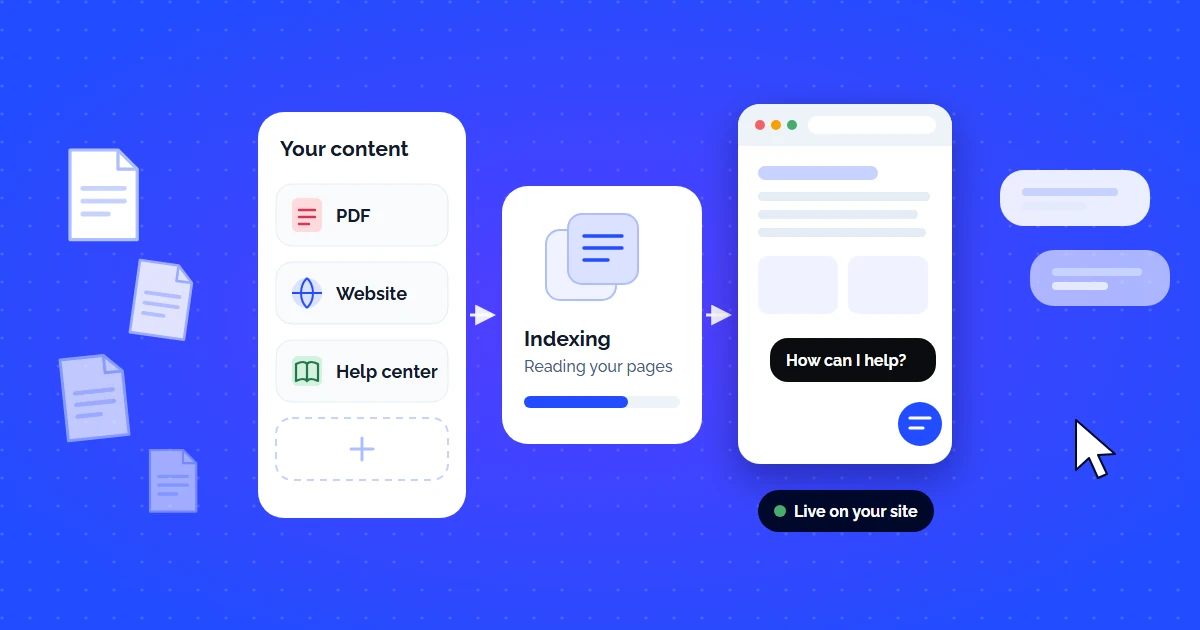
This guide is about the documents themselves: which ones to ingest, how chunking changes answer quality, and how to diagnose wrong answers. For the deployment timeline and the metrics to watch after launch, see our 30-day rollout plan.
The promise of AI customer support is simple: customers ask a question, the AI answers instantly, accurately, from your own documentation — not from the open internet, not from hallucinated guesses. But the reality? Most teams struggle to get from "we have docs" to "the AI answers correctly."
The gap is not intelligence — modern LLMs are incredibly capable. The gap is grounding. Without a proper Retrieval-Augmented Generation (RAG) pipeline connected to your custom documentation, any AI chatbot is just a creative writer that occasionally gets lucky with facts.
This guide walks you through how to set up AI customer support on custom docs — from document preparation to deployment — whether you use a no-code platform like CustomerGPT or build your own pipeline.
What Counts as "Custom Docs" for AI Training?
When we say "train AI on your custom documentation," we mean feeding the AI system your verified, authoritative business content so it answers from that — and only that. This includes:
Website & Help Centers
Public URLs — your docs site, knowledge base, FAQ pages, product guides, changelogs. The AI crawls and indexes every page.
PDFs & Documents
Product manuals, onboarding guides, internal policies, SOPs, compliance docs. Upload directly — the system extracts text and structures it.
Cloud Storage & Wikis
Google Drive, OneDrive, SharePoint, Confluence, Notion, GitBook — sync entire folders so the AI stays current with every edit.
Important distinction: This is not fine-tuning the LLM. You are not retraining GPT-4 or Claude on your data. Instead, you are building a retrieval layer that feeds your docs into the LLM's context window at query time. This is called Retrieval-Augmented Generation (RAG), and it is the foundation of every production-grade AI support system. For a deeper technical explanation, read our article on how AI answer engines work.
Step-by-Step: Setting Up AI Support on Your Custom Docs
Whether you use a no-code platform or build your own stack, the process follows 5 stages:
Prepare Your Documentation
Before uploading anything, audit your docs for quality. AI accuracy is directly proportional to documentation quality:
- Remove outdated content — Old pricing pages, deprecated features, and legacy workflows will confuse the AI and confuse customers.
- Structure with headings — H1, H2, H3 headers help the chunking algorithm split content into meaningful semantic units.
- One topic per page — Pages that cover 5 different topics produce noisy embeddings. Split them if possible.
- Include explicit Q&A pairs — If you have an FAQ, keep it. RAG systems retrieve FAQ answers with very high precision.
Ingest & Index (Chunking + Embeddings)
This is where raw text becomes machine-searchable. The process:
- Chunking: Your documents are split into smaller segments (typically 200–500 tokens). Good chunking strategies respect paragraph boundaries, headers, and semantic units — not arbitrary character counts.
- Embedding: Each chunk is converted into a high-dimensional vector (a list of ~1,536 numbers) using an embedding model like OpenAI's text-embedding-3-small. Semantically similar chunks produce similar vectors.
- Indexing: These vectors are stored in a vector database (PostgreSQL with pgvector, Pinecone, Weaviate, or Qdrant) with HNSW or IVF indexes for fast nearest-neighbor search.
On CustomerGPT, this entire step is automated — you upload docs, and the system chunks, embeds, and indexes within seconds. To see how that pipeline is built on CustomerGPT, read how it works.
Connect the RAG Pipeline
RAG (Retrieval-Augmented Generation) is the bridge between your docs and the LLM. When a user asks a question:
- The question is embedded into a vector using the same model.
- The vector database performs a cosine similarity search to find the top 3–5 most relevant chunks.
- Those chunks are injected into the LLM's prompt as context.
- The LLM generates an answer grounded in — and only in — those retrieved chunks.
The key insight: the LLM never "memorizes" your docs. It reads them fresh every time, in the prompt context. This means updates to your docs are reflected instantly — no retraining required.
Deploy Your AI Agent
Once your docs are indexed and the RAG pipeline is connected, deploy the AI agent where your customers are:
- Website widget: Embed a chat widget on your site with a single script tag. CustomerGPT generates an embed code you paste into your HTML.
- Slack: Connect natively to your Slack workspace — the bot answers in-thread. See our guide on the best AI support bots for Slack.
- API: Use the REST API to integrate AI answers into your own product, mobile app, or internal tools.
- WhatsApp / Telegram: Route messages through supported channels for omnichannel coverage.
Monitor, Analyze & Improve
Deployment is not the finish line — it is the starting line. Track these metrics:
| Metric | Target | Why It Matters |
|---|---|---|
| Resolution Rate | >70% | Percentage of questions answered without human escalation |
| Accuracy | >95% | Answers verified correct against source docs |
| Hallucination Rate | <2% | AI generating info not present in your docs |
| Knowledge Gaps | Track weekly | Questions the AI could not answer — these reveal missing docs |
| CSAT Score | >4.2/5 | Customer satisfaction with the AI interaction |
- 1Collect the sourcesHelp center, product docs, PDFs and the answers currently living only in your team's replies.
- 2Structure and ingestClean navigation and boilerplate out, split along headings, keep the source URL per chunk.
- 3Test against real questionsTwenty questions customers actually asked, including ones the docs cannot answer.
- 4Deploy and keep in syncShip the widget, then trigger re-indexing from publishing so the assistant never drifts.
5 Common Mistakes That Kill AI Accuracy
- Uploading stale docs — If your AI answers pricing questions with last year's numbers, customers lose trust immediately. Set up auto-sync or schedule re-crawls.
- Too-large chunks — Chunks over 1,000 tokens dilute embedding precision. The AI retrieves vaguely-related content instead of the exact answer. Keep chunks at 200–500 tokens.
- No guardrails — Without system prompt guardrails, the AI might answer questions outside your domain ("What is the meaning of life?"). Configure it to refuse off-topic queries. Read our deep dive on building guardrails against jailbreaks.
- Ignoring knowledge gaps — When the AI says "I don't have information about that," it is telling you a doc is missing. Use the analytics dashboard to identify and fill these gaps weekly.
- No human escalation path — AI should not replace humans. It should handle the repetitive, documented questions so humans can focus on the complex ones. Always configure escalation triggers.
No-Code vs Custom Pipeline: Which Path to Choose?
| Factor | No-Code (e.g. CustomerGPT) | Custom Pipeline |
|---|---|---|
| Setup Time | About 2 minutes | 2–6 weeks (engineering sprint) |
| Team Required | Anyone (no code) | Backend + ML engineer |
| Customization | System prompt, tone, branding | Full control over every component |
| Maintenance | Managed (auto-updates) | Self-managed (infra, models, security) |
| Cost (Year 1) | $588–$2,388 | $15,000–$80,000+ (infra + team time) |
| Best For | Startups, SMBs, non-technical teams | Large enterprises with unique requirements |
For most teams, a no-code platform gets you to production faster, cheaper, and with less risk. For the guide on choosing a platform, see our comprehensive AI customer service software buyer's guide.
Ready to Set Up AI Support on Your Docs?
Getting from "we have documentation" to "the AI answers customers accurately" is a four-step process: prepare docs → upload and index → deploy the agent → monitor and improve. With a platform like CustomerGPT, a working agent takes under 2 minutes to set up (testing it against real tickets takes longer) — no API keys, no embedding pipelines, no infrastructure to manage.
Start by uploading your most-asked-about documentation — product guides, pricing pages, and onboarding flows — and let the AI handle the rest.