

This guide covers the rollout: what to ship in week one, what to measure, and how to scale. If you are still deciding which documents to feed the AI and how to fix wrong answers, start with AI customer support on your own documentation instead.
61% of customers would rather use self-service for simple issues (Salesforce). Yet most companies that deploy an AI chatbot for customer support get it wrong — either the bot gives generic, unhelpful answers, or it takes months of engineering to get right.
The truth is simpler than vendors make it sound. With the right platform and the right preparation, you can go from zero to a fully functional customer support chatbot in a single afternoon. This guide shows you exactly how.
Phase 1: Prepare Your Knowledge Base (Day 1)
Your AI chatbot is only as good as the data it can access. Before you touch any software, you need to audit and organize the information your chatbot will draw from.
What to include in your knowledge base:
- Help center articles — Your existing FAQ pages, how-to guides, and troubleshooting docs
- Product documentation — Feature explanations, pricing pages, comparison guides
- Company policies — Return policies, SLAs, shipping info, privacy policy summaries
- Internal SOPs — The same procedures your human agents follow to resolve tickets
- Past ticket patterns — Export your top 50 most-asked questions from Zendesk/Intercom and write clear, comprehensive answers
Phase 2: Choose Your AI Chatbot Architecture
There are three fundamentally different approaches to building an AI chatbot for customer support. Choosing the wrong one is the most expensive mistake you can make:
| Approach | How It Works | Setup Time | Accuracy | Verdict |
|---|---|---|---|---|
| Rule-Based Bot | Decision trees, keyword matching, scripted flows | 2–6 weeks | Low — breaks on unseen questions | Outdated |
| Fine-Tuned LLM | Custom-trained model on your data | 3–6 months + ML team | High but expensive to maintain | Overkill for most teams |
| RAG-Powered AI | LLM retrieves answers from your knowledge base in real-time | Minutes to hours | High — grounded in your data | Best choice for most teams |
RAG (Retrieval-Augmented Generation) is the sweet spot for customer support chatbots in 2026. It combines the natural language understanding of LLMs with the factual accuracy of your own data. For a deeper technical explanation of how this works under the hood, read our article on how AI answer engines work.
Phase 3: Deploy Your AI Chatbot (Day 1–3)
With a RAG-based platform like CustomerGPT, deployment is measured in minutes, not months:
- Connect your knowledge sources — Paste your website URL, upload PDFs/DOCX files, or connect your Notion workspace. The AI automatically crawls and indexes everything.
- Configure your bot persona — Set the tone (professional, friendly, technical), response length preferences, and which topics to defer to humans.
- Add the widget to your site — Copy a single script tag into your website's HTML. No framework dependencies, no build step required.
- Test with real questions — Run through your top 20 most-common customer queries. Verify accuracy and tone.
- Go live — Enable for a subset of traffic first (10–25%), monitor for 48 hours, then ramp to 100%.
<!-- CustomerGPT Widget — 1 line to deploy -->
<script src="https://app.customergpt.ai/widget/YOUR_BOT_ID.js" async></script>

That's it. Your AI chatbot for customer support is live.
No React, no npm, no build pipeline. Just paste and go.
Phase 4: Measure Success (Week 1–4)
An AI chatbot is not "set and forget." Here are the 5 KPIs you should track from day one:
Deflection Rate
% of queries resolved by AI without human escalation. Set the target from your week-one baseline, then raise it by closing doc gaps.
CSAT Score
Customer satisfaction rating on AI interactions. Target: 4.0+/5.0.
Response Time
Average time to first response. For the AI it should be seconds, not a place in a queue.
Resolution Accuracy
% of AI answers verified as correct by spot-checking. Target: 95%+.
Unanswered Rate
% of queries the AI cannot answer. These reveal knowledge-base gaps. Target: under 15%.
Phase 5: Scale to 10,000+ Conversations (Month 2+)
Once your AI chatbot is handling routine queries well, here is how to scale:
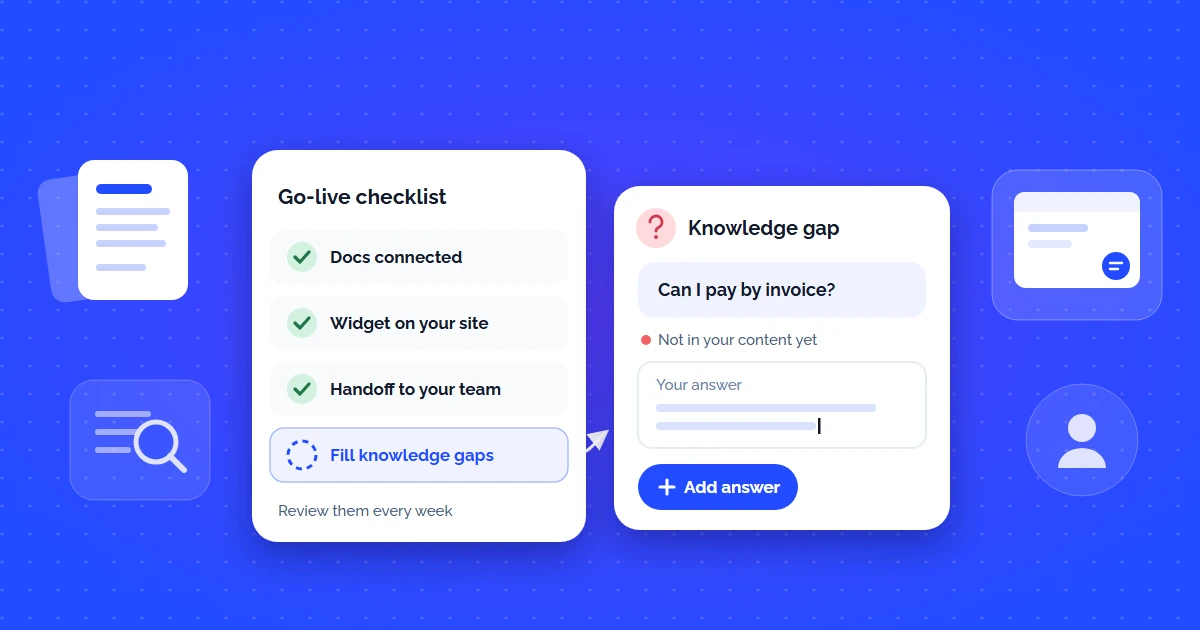
- Feed it more data — Every unanswered question is a knowledge-base improvement opportunity. Write an answer, upload it, and the AI starts covering it immediately.
- Expand channels — Move from website-only to Slack for internal support, WhatsApp for customer messaging, or email for async queries.
- Enable lead capture — Collect email addresses from interested visitors and route them to your sales pipeline. Learn more about how AI automates the sales process.
- Add multilingual support — Modern RAG-based chatbots auto-detect and respond in 95+ languages from a single English knowledge base.
Before you put the widget on the pricing page
- Top 20 real customer questions tested against the live bot
- Refusal path verified on a question your docs do not cover
- Human handoff visible from the first reply, with routing tested
- Out-of-scope topics explicitly bounded in the system prompt
- Re-index triggered by publishing, not by a person remembering
- Deflection and escalation tracked from day one
- Fallback copy written by a human, not the model's default
5 Common Mistakes When Deploying a Support Chatbot
- Launching with an incomplete knowledge base — Your AI cannot answer what it does not know. Audit your docs before you go live.
- Not having a human escalation path — Customers accept AI, but they need a way to reach a human when it matters.
- Ignoring unanswered questions — Every unanswered query is a signal. Review them weekly and add missing content.
- Choosing keyword-matching bots — Rule-based chatbots feel "smart" in demos but fail in production. Insist on semantic search.
- Over-engineering the first version — Start simple. Cover your top 50 questions, measure, then expand. Perfection is the enemy of deployment.
Deploy Your AI Chatbot for Customer Support Today
CustomerGPT gives you the power of ChatGPT for customer support in under 2 minutes. Paste your website URL, customize the widget, and start deflecting support tickets automatically — no code required.
Start Free 14-Day Trial →